Each version, newest first: what you can do now that you could not
before, and what was fixed. A feature marked Computer or
Phone is only on that one; the rest are on both.
Version 0.6.9
Calmer Settings, translation without Google, and subtitles read off the picture
Settings was rearranged from the ground up, translation can now run on
your own device, and SlukaCC can read subtitles that are part of the
video itself.
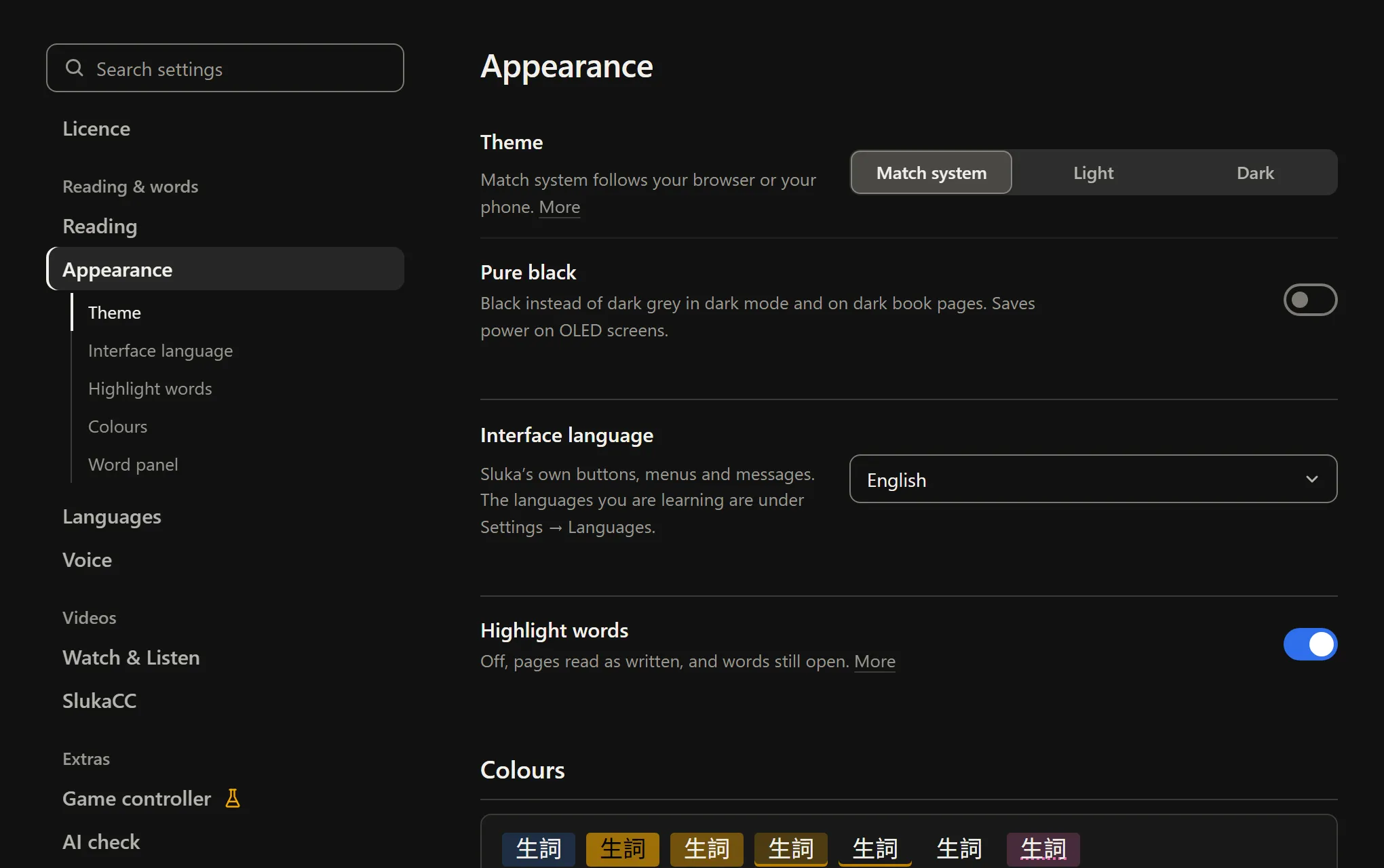
Settings, rearranged
Settings has one menu, grouped under Reading & words, Videos,
Extras and Devices & data, with the open category's sections listed
under it. Every row looks the same: a name, one line on what it does,
the control on the right. Rows that depend on a switch stay out of the
way until the switch is on, and the search box finds those too.
Translate without sending anything to Google
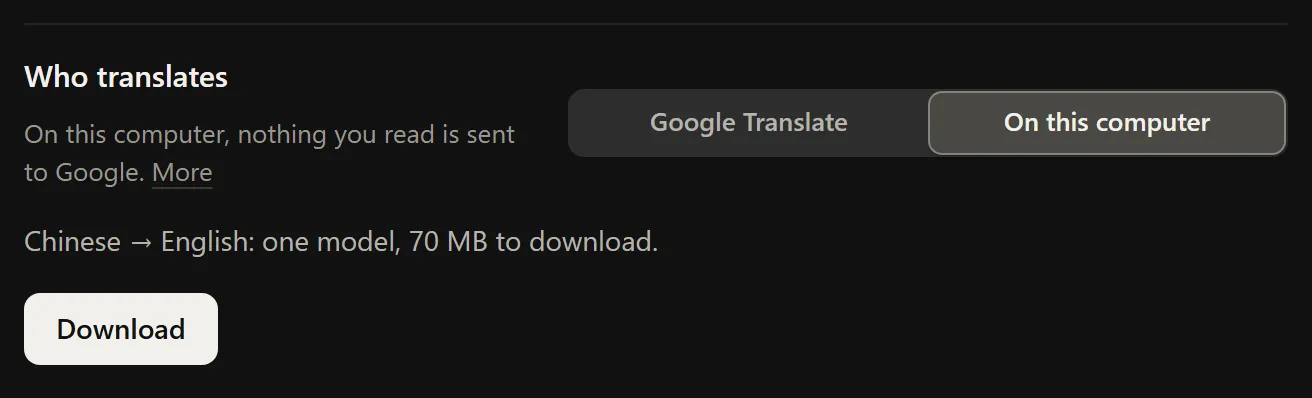
Under Settings → Languages → Who translates, pick On this
computer (On this device in the app). The word panel,
sentence mode and SlukaCC's translation line are then translated
offline by Mozilla's models, the ones Firefox uses. Each language pair
is a one-time download (70 MB for Chinese to English).
For Japanese, Chinese, Korean and Thai they are noticeably weaker than
Google: in our test about one subtitle line in five came out wrong,
against one in thirty.
Subtitles that are burnt into the picture
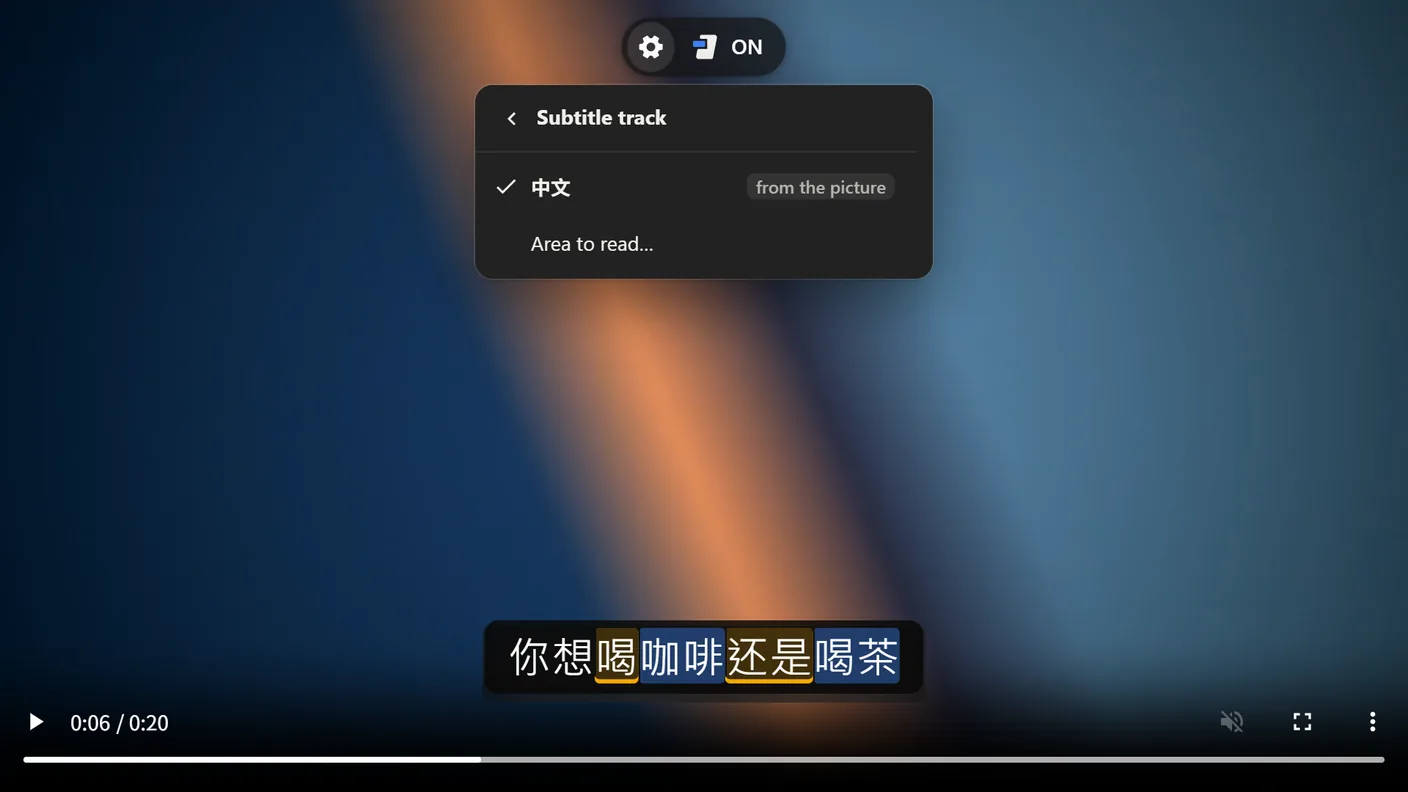
Some videos have their subtitles drawn into the picture, so there is
no track to read. SlukaCC can now read them off the screen: pick
From the picture in its track menu, and each line becomes
clickable text like any other subtitle, with the original blurred
underneath. It works on the computer and in the Android app, and on
the Videos page for your own files. A new line usually shows up
within a quarter of a second.
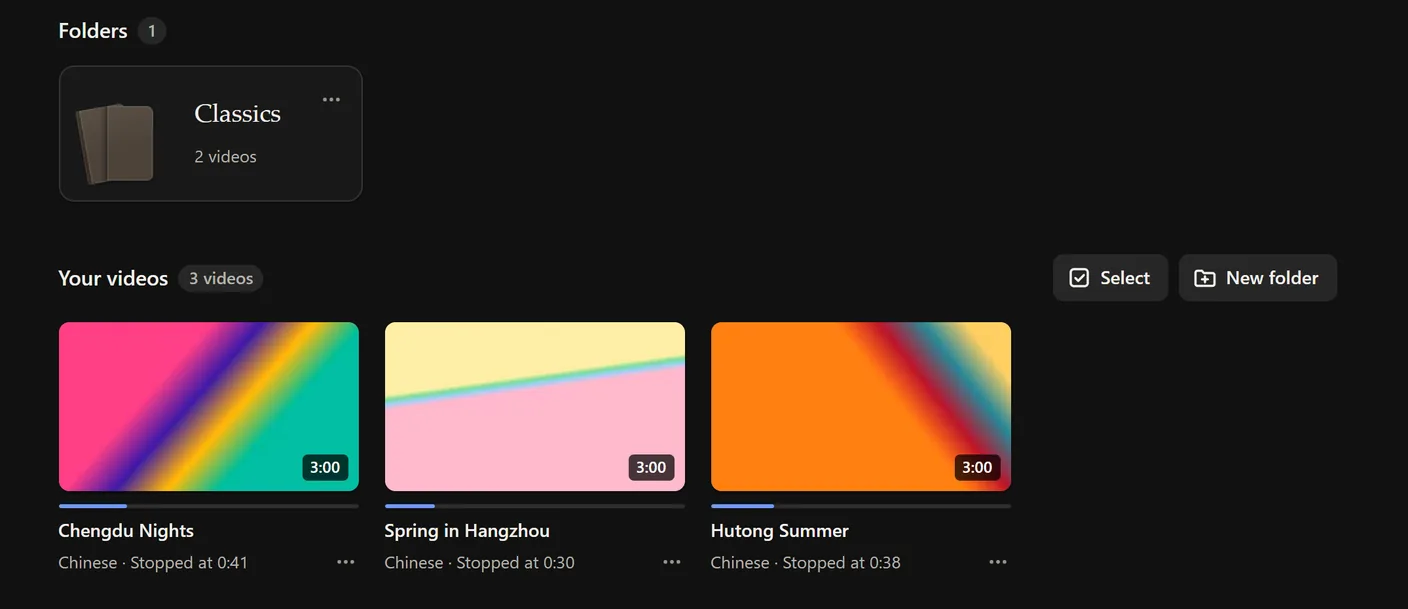
Your own videos, kept on a shelf
The Videos page keeps your films on a shelf with folders, like the
books, and remembers where you stopped. It uses subtitles already
inside the video file, and when there are none it can make them from
the speech: with an OpenAI or ElevenLabs key, or on the computer with
a local Whisper model. Watching counts as listening time.
On the computer, karaoke mode now works there too, a click on the
picture pauses and plays, and the SlukaCC and full-screen buttons sit
in the bottom-right corner as on YouTube.
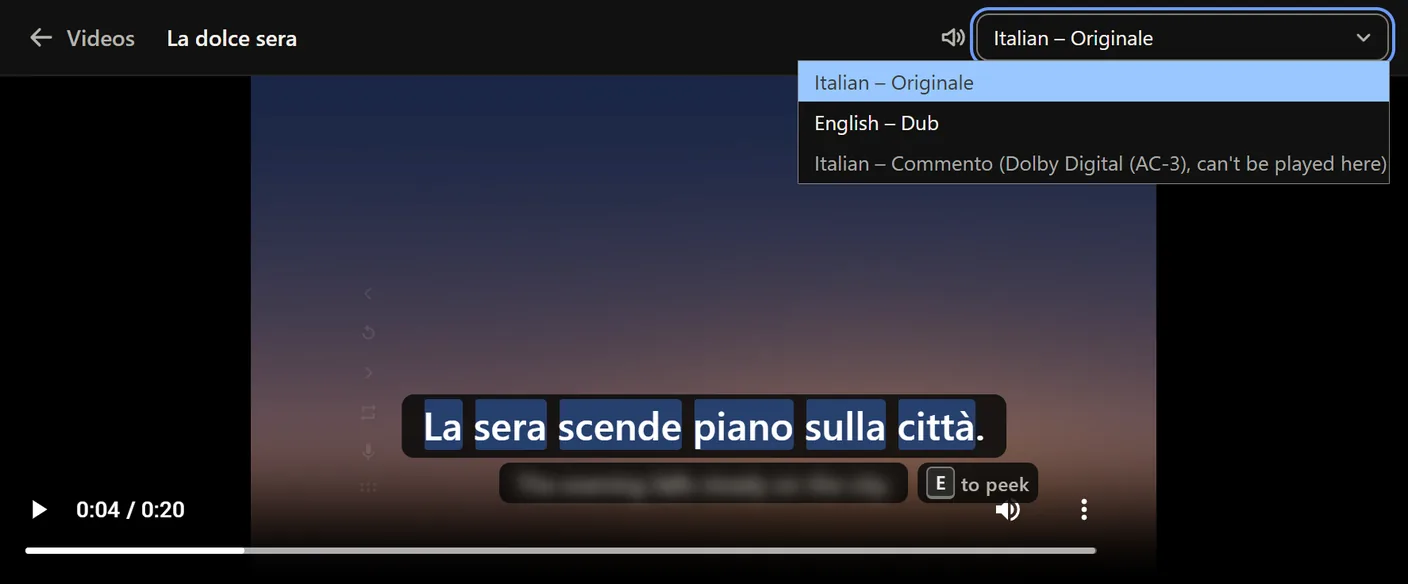
A film with more than one sound track, a dub and the original say,
gets a Sound track menu in the player's top bar. The film
starts on the one you picked last time, and Anki clips and Generate
subtitles use it too. Dolby and DTS tracks can't be played in the
browser and are shown greyed out.
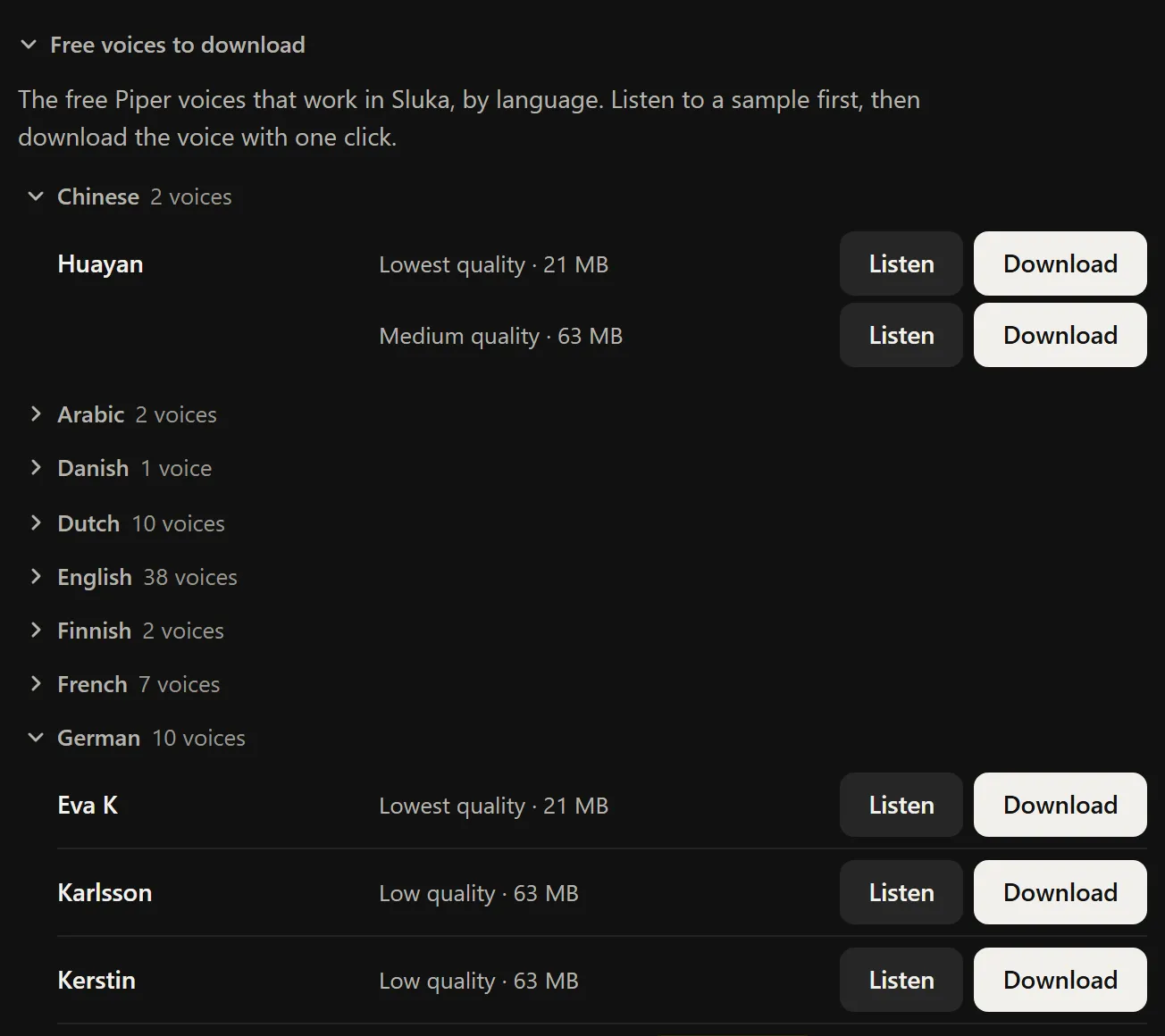
Free voices with one click
Settings → Voice → Your own voices lists every free Piper voice that
works in Sluka, 117 of them, by language. Listen to a sample, then
download it with one click. Read aloud now speaks with your own Piper
voice too. None of these voices exist yet for Japanese, Thai or
Cantonese.
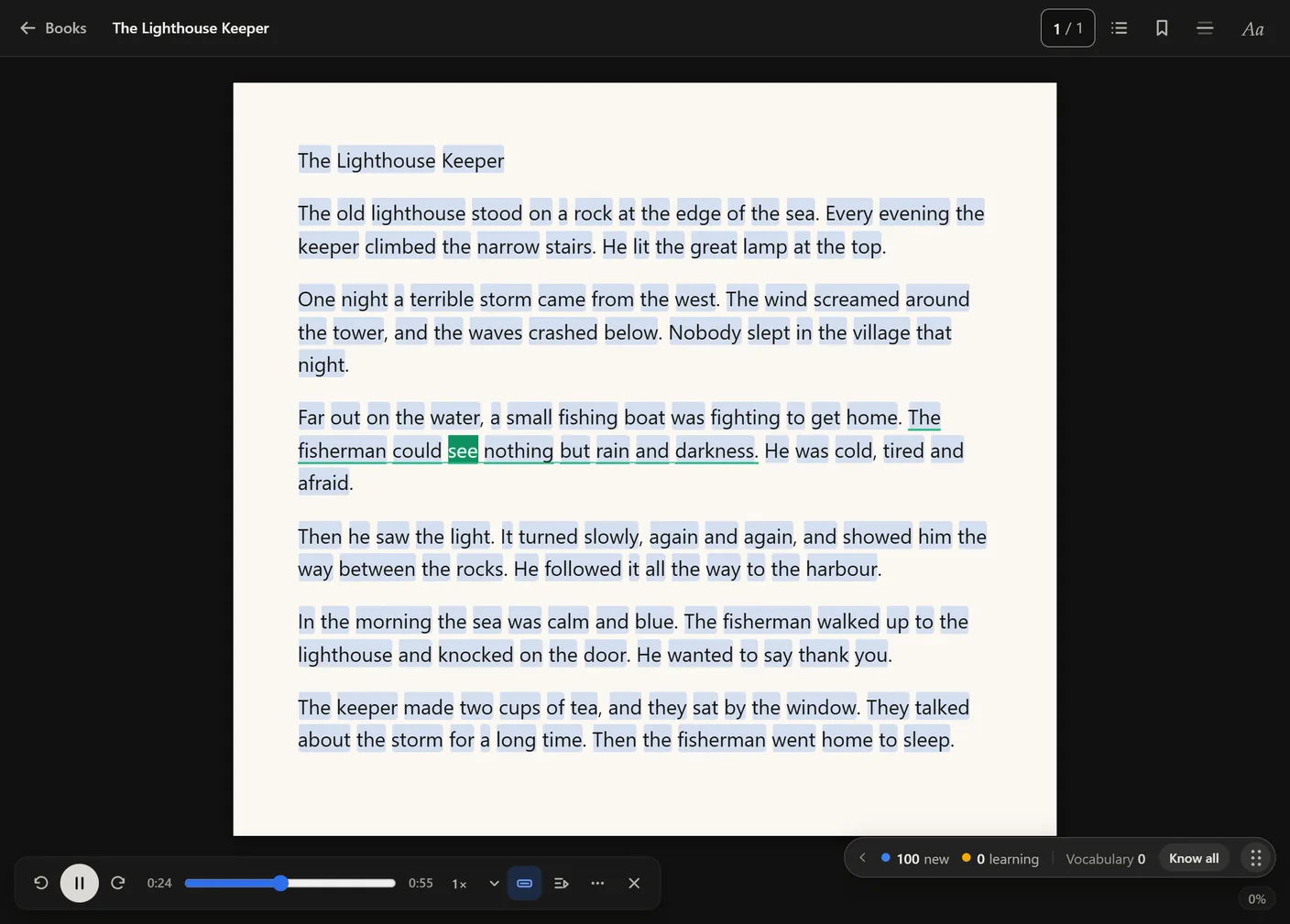
Audio in booksComputer
A book can have its audio now. Import an audiobook and Sluka lines it
up with the text on your computer, or have a voice read the book into
a recording. Then play it with the words lighting up as they are said.
Subtitle files as books
Add an .srt, .vtt, .ass, .ssa,
.ttml or .dfxp file under Read a book and it opens
like any other book. Timings and tags are dropped, the lines join
into paragraphs, and a pause of two seconds or more starts a new one.
A language code in the file name stays out of the title.
Manga and scanned pages in the appPhone
The Android app now opens .cbz manga, single pictures and scanned
PDFs and reads the words off the page, so they can be highlighted,
looked up and counted, as on the computer. Each page takes several
seconds the first time; a book you open again shows its text at once.
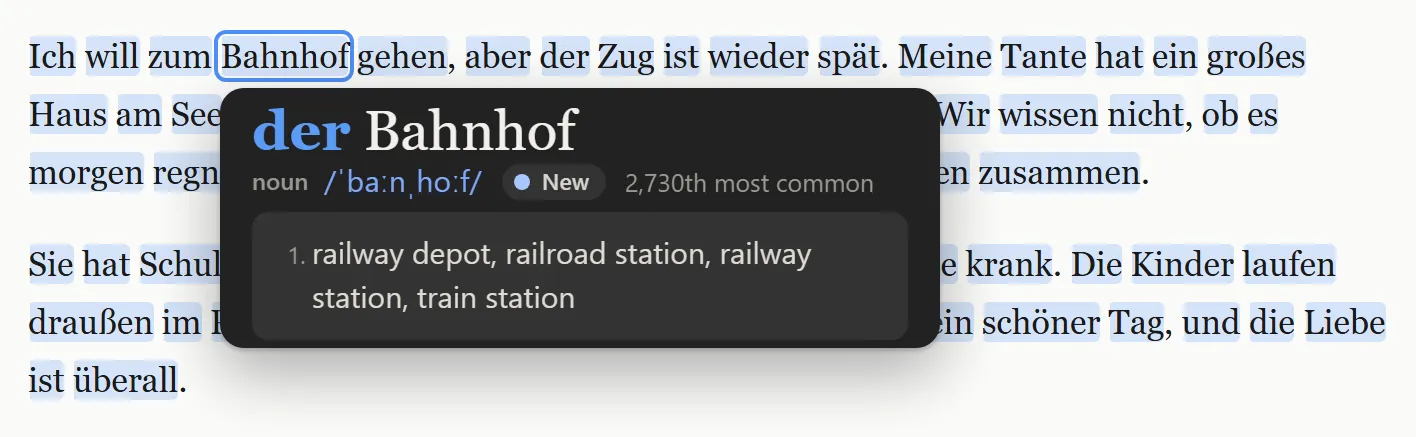
German nouns with der, die or das
German nouns get their article in the word panel, coloured by gender:
der blue, die red, das green. Cards sent to Anki get the coloured
article too.
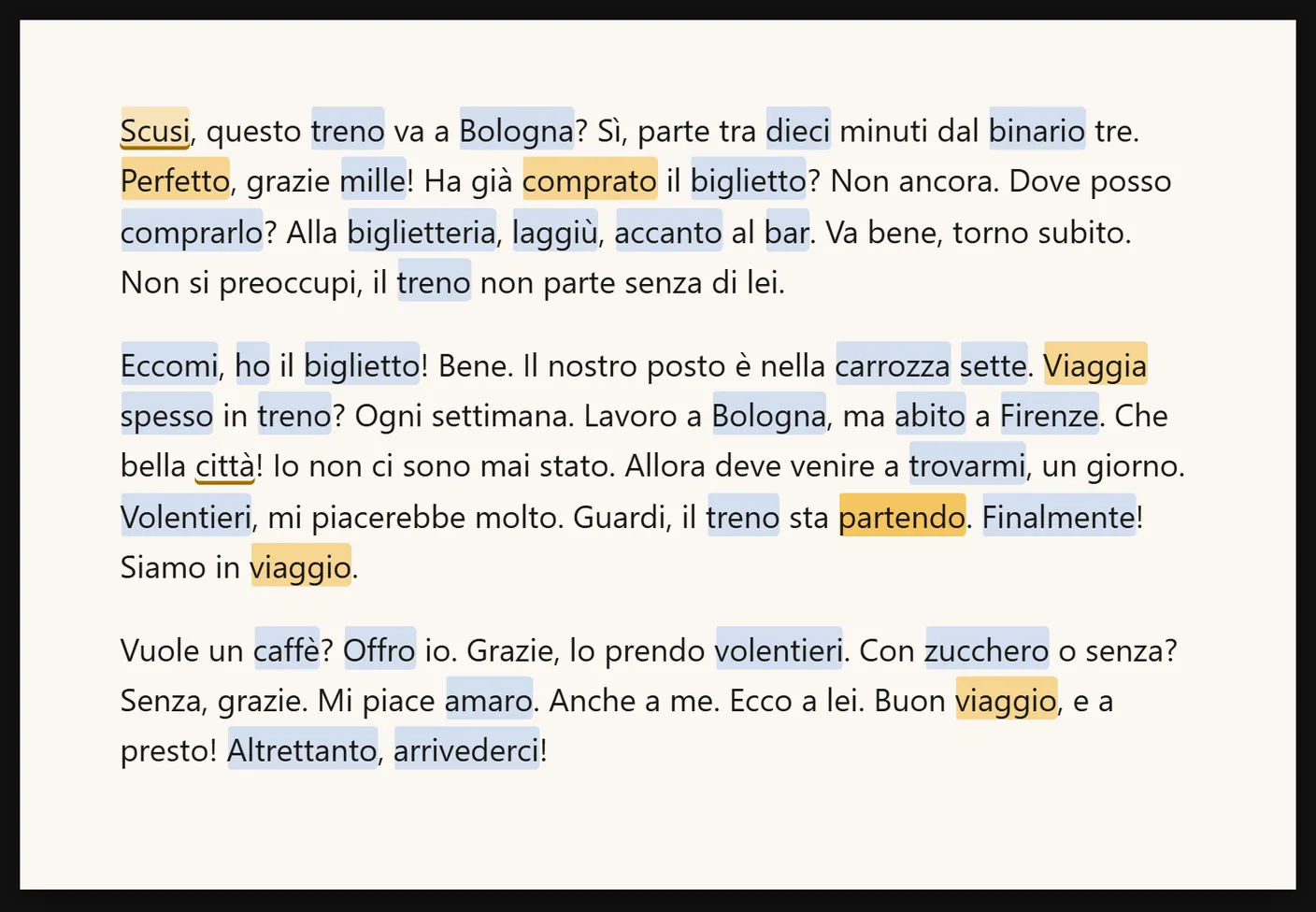
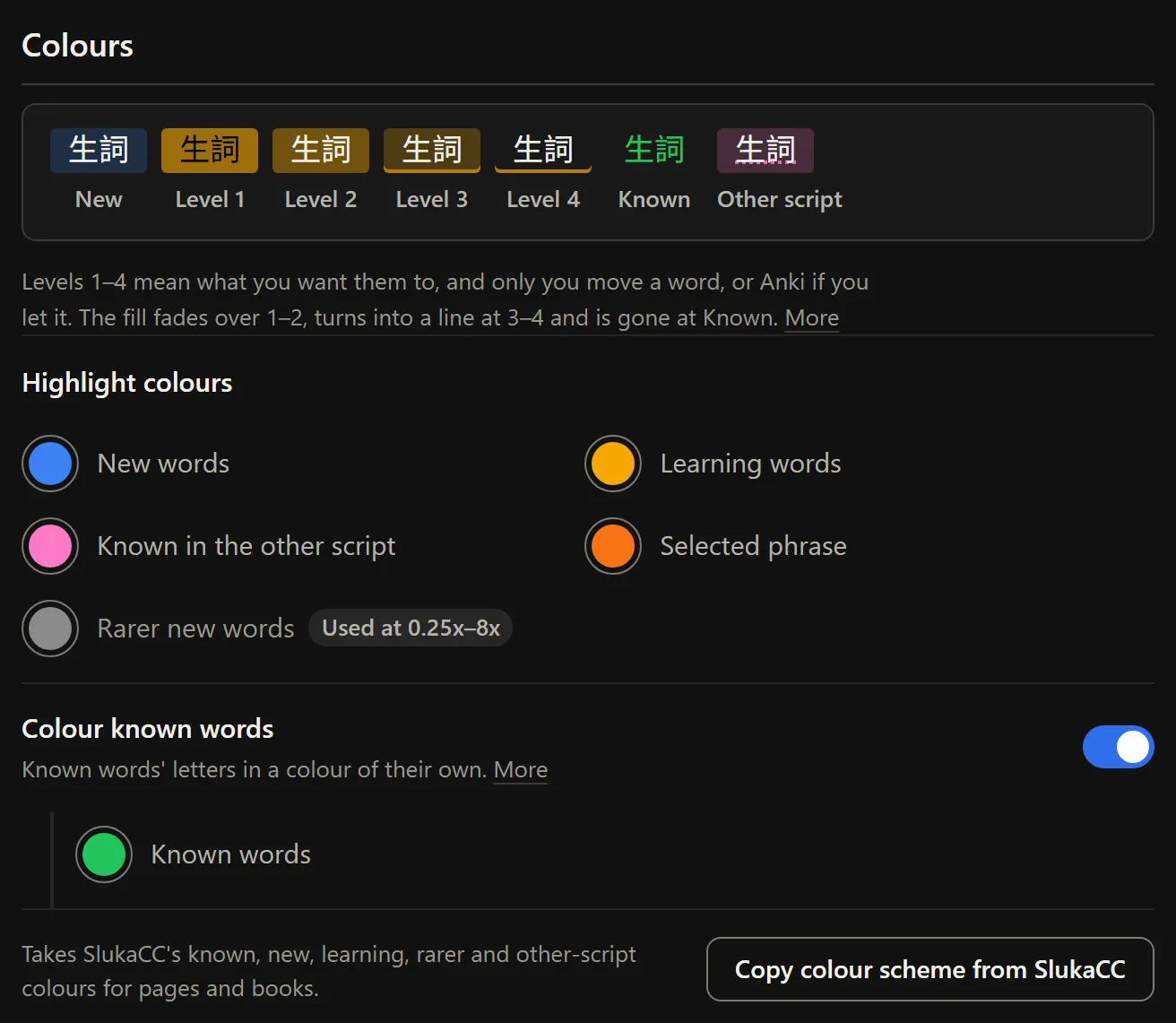
More say over colours
Known words can have a colour of their own. Words known in the other
script are pink. Levels 3 and 4 can be a fainter fill instead of a
line, and a button copies the whole colour scheme between pages and
SlukaCC, either way.
The word panel stays off its wordComputer
The panel no longer covers the word it is about, also when you scroll
in reading mode. You can choose where it opens: next to the word, or
always at the left or right edge of the screen.
Move the stats pillComputer
The pill with your new and learning counts has six dots at its right
end. Drag them to put the pill anywhere on the screen; it stays there
on every page. Double-click the dots to send it back to its corner.
Smaller things
Word meanings can be written over the words in books and in Sluka's reader (Aa menu, or Settings → Reading).
Write what you heard: with the subtitle blurred or hidden and auto-pause on, type each line before you see it.
Shift+G translates the whole sentence with Google, Shift+F with the AI check. Shift+R reads aloud from the clicked word's sentence, also while paused. Computer
Chinese and Cantonese subtitles in simplified or traditional characters, on any site and for your own subtitle files.
SlukaCC reads Twitch's own captions and never pauses a live stream, and reads iQIYI's subtitles on iq.com.
SlukaCC subtitles in a light or a dark style (Text & background → Theme), and an option to colour only words on the frequency list.
Pure black dark mode for OLED screens.
Anki: several cards for one word, one per sentence; settings per language; Send deleted cards again; a cloud voice on phone and SlukaCC cards; the video clip now works on long videos, and says why when there is none.
Words: a 👀 count of how often you looked a word up, a Most looked up order, an Anki button, and a speaker to hear each word.
Shift+Alt+D and Shift+Alt+A hop down and up a video's most common words. Computer
Edit the text of a pasted book after you have made it.
Phone and computer stay in step with very large vocabularies, the Sync card says when a sync failed instead of In step, and clearing your listening history stays cleared on the other device.
A click on a word no longer gets slower as your vocabulary grows.
Korean is cut into words far more often right: 98 of 100 pieces in our test, up from 91, with about 8,500 more dictionary words, and idioms lead with their idiom meaning.
French jusqu'à is one word. Japanese 弾けて reads はじけて, and the popup leads with the exact form you clicked. Arabic PDFs open in the book reader, and the word arrows follow Arabic's right-to-left order.
A subtitle word's popup closes when its line ends, Space plays on after a click on a subtitle word, and Escape in full screen closes the word panel first.
A word you clicked on a page or in a book keeps its popup open while the pointer rests on other words.
Scoreboard chat: a crown marks the owner and a shield the moderators, for everyone.